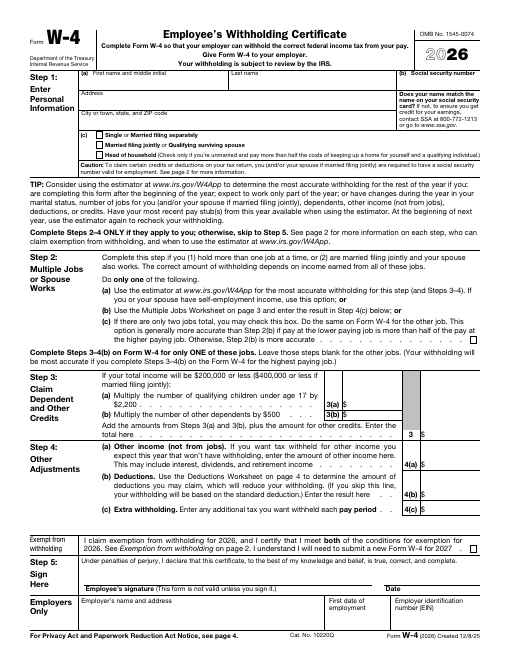
Form W-4, Employee's Withholding Certificate, tells your employer how much federal income tax to withhold from your paycheck.
Form W-4, Employee’s Withholding Certificate, tells your employer how much federal income tax to withhold from your paycheck. New employees fill it out on their first day, and you can submit a new one any time your tax situation changes, such as marriage, a new child or a second job.
Open the form in our online PDF editor to type into the fillable fields, check boxes, add today’s date and sign with your mouse, finger or a typed signature. Preview it free with a watermark, then download a clean, print-ready PDF.
Official U.S. government form. Federal government works are in the public domain. Always check the issuing agency for the newest revision before filing. Issued by: Internal Revenue Service.
How to fill it out online
- Click Edit & fill now to open the form in the online editor.
- Click any field and type, or use the Text tool to type anywhere on the page.
- Use the Check mark tool for boxes and the Date tool for dates.
- Sign with the Signature tool (draw, type or upload).
- Click Preview to review the watermarked copy, then Download for the clean PDF.
Frequently asked questions
Who gets my W-4?
Your employer. Do not send it to the IRS.
How often should I update my W-4?
Whenever your personal or financial situation changes, and it is smart to review it every year.
Can I fill out the W-4 online?
Yes. Fill it here, download the clean PDF and give it to your payroll department.
FillDesk lets you add your signature image to a document. Whether an electronically signed document is legally valid depends on the document type and jurisdiction. This site doesn't provide legal advice.